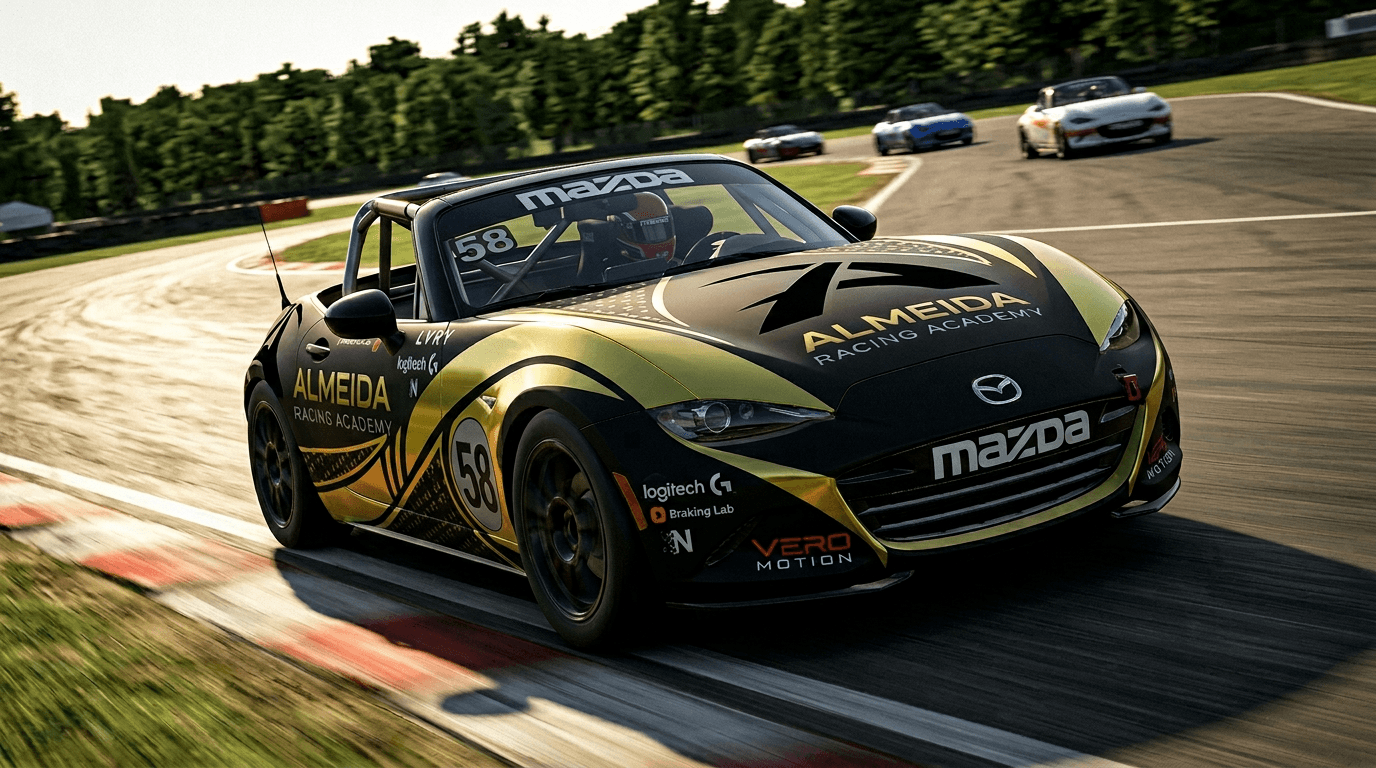
How to Sign Up for the League
Sign-ups will be announced via email and Discord. Keep an eye out — different leagues may have different registration methods. Full instructions will always be provided.
Before you sign up, make sure you've done these two things:
- Link your Discord from the Academy website
- Connect your iRacing from the Academy website
Both can be done here: almeidaracingacademy.com/account
How to Join the League When Invited
↑ Table of Contents1. Invites to the league will start before Pre Qualifying week starts. When you are invited, you will get a notification. To accept, navigate to your iRacing UI.
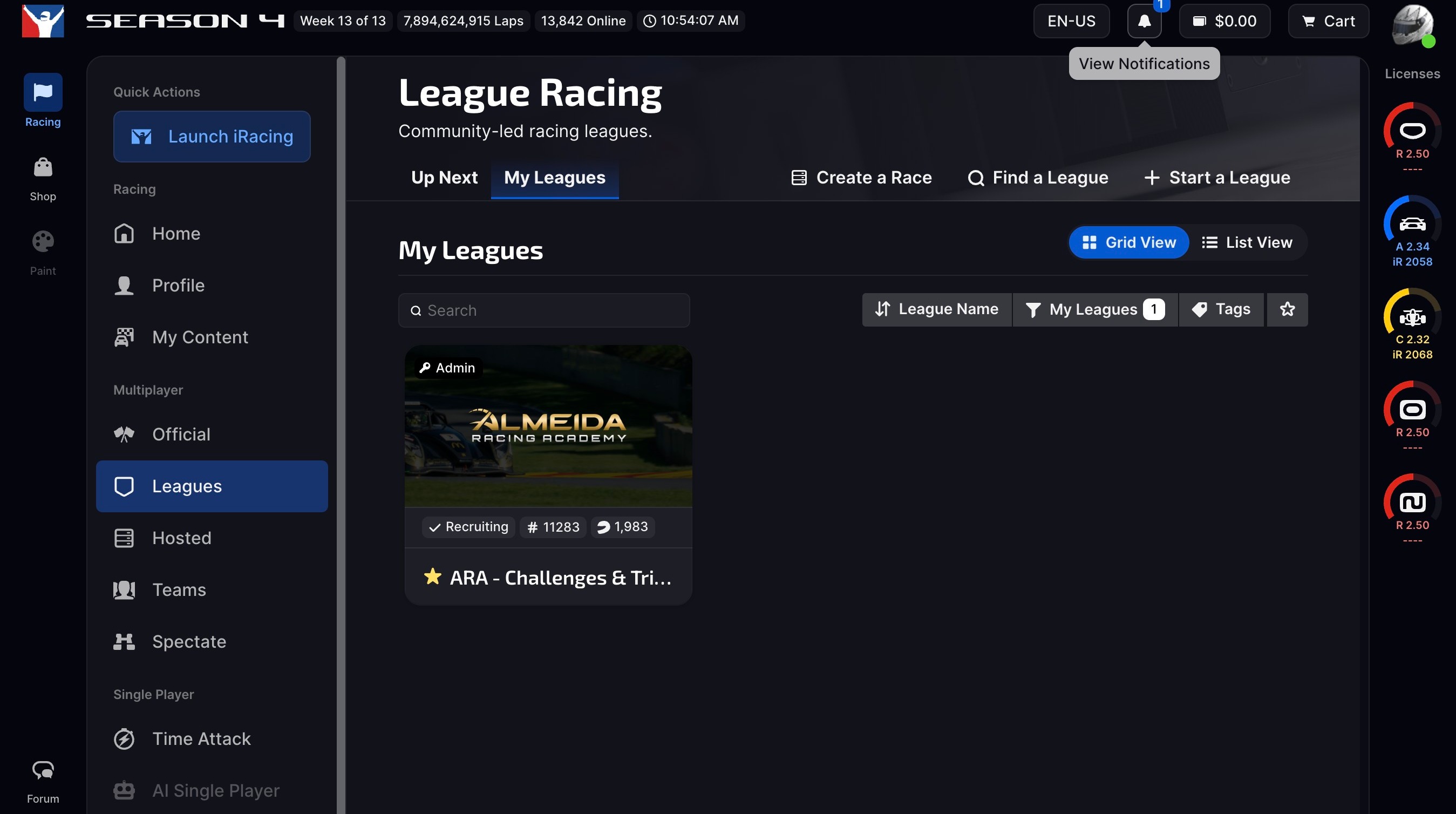
2. Click your notifications icon.
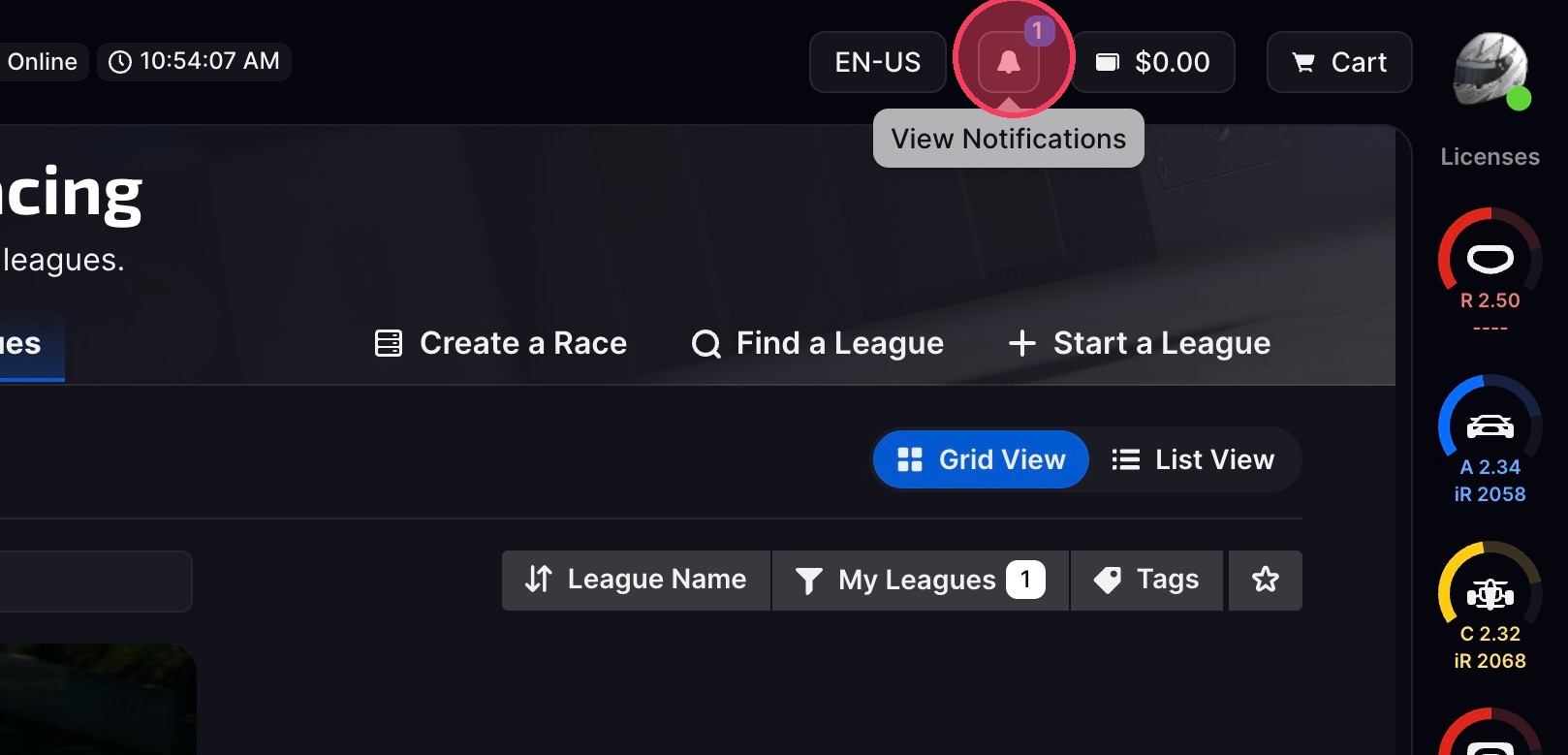
3. Navigate to League Invitations and Accept the League Invite.
4. After accepting the invite, click "Close".
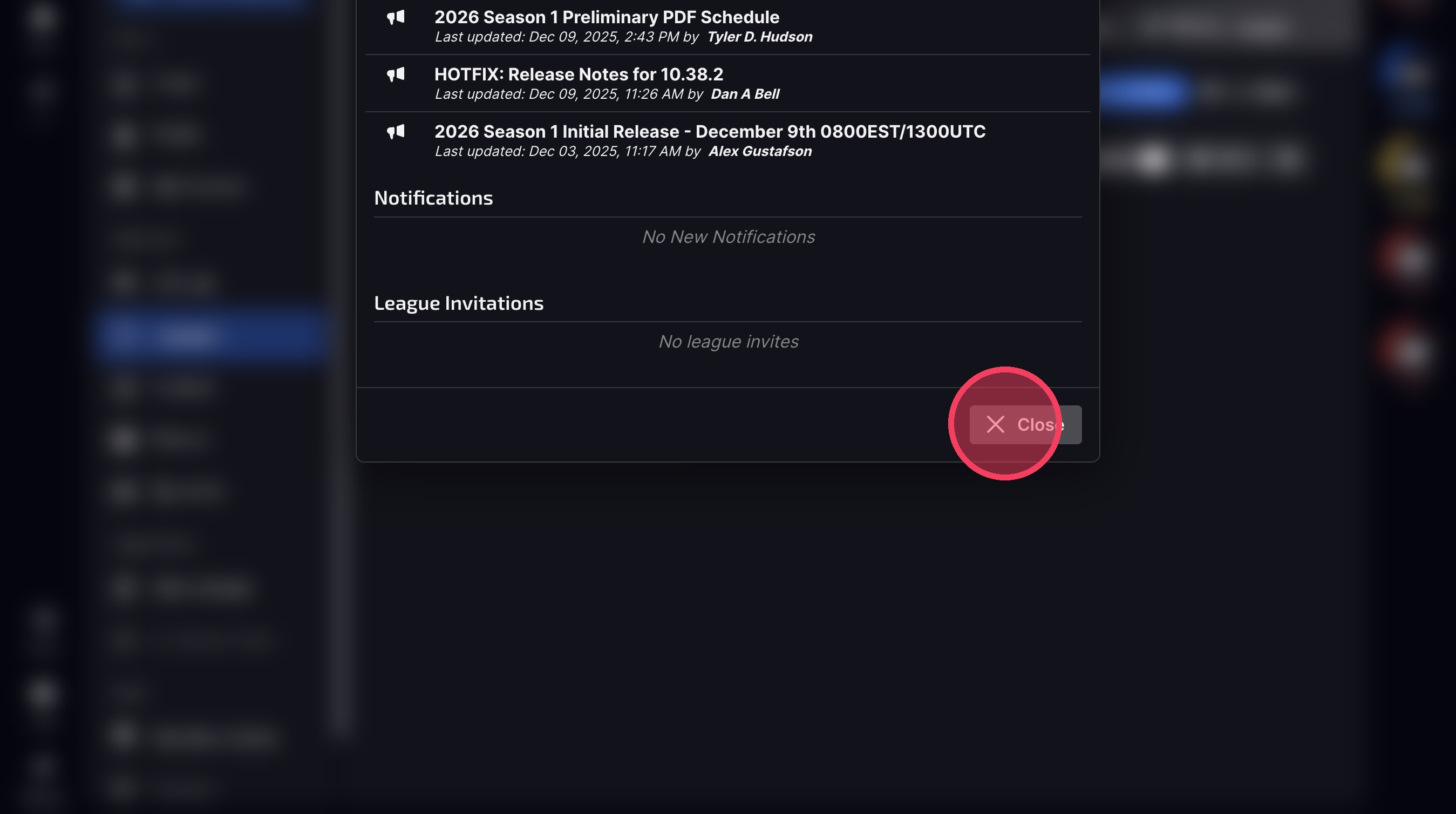
5. Refresh your page and clear your filters if you do not see the new League populate in your "My League" tab under Leagues.
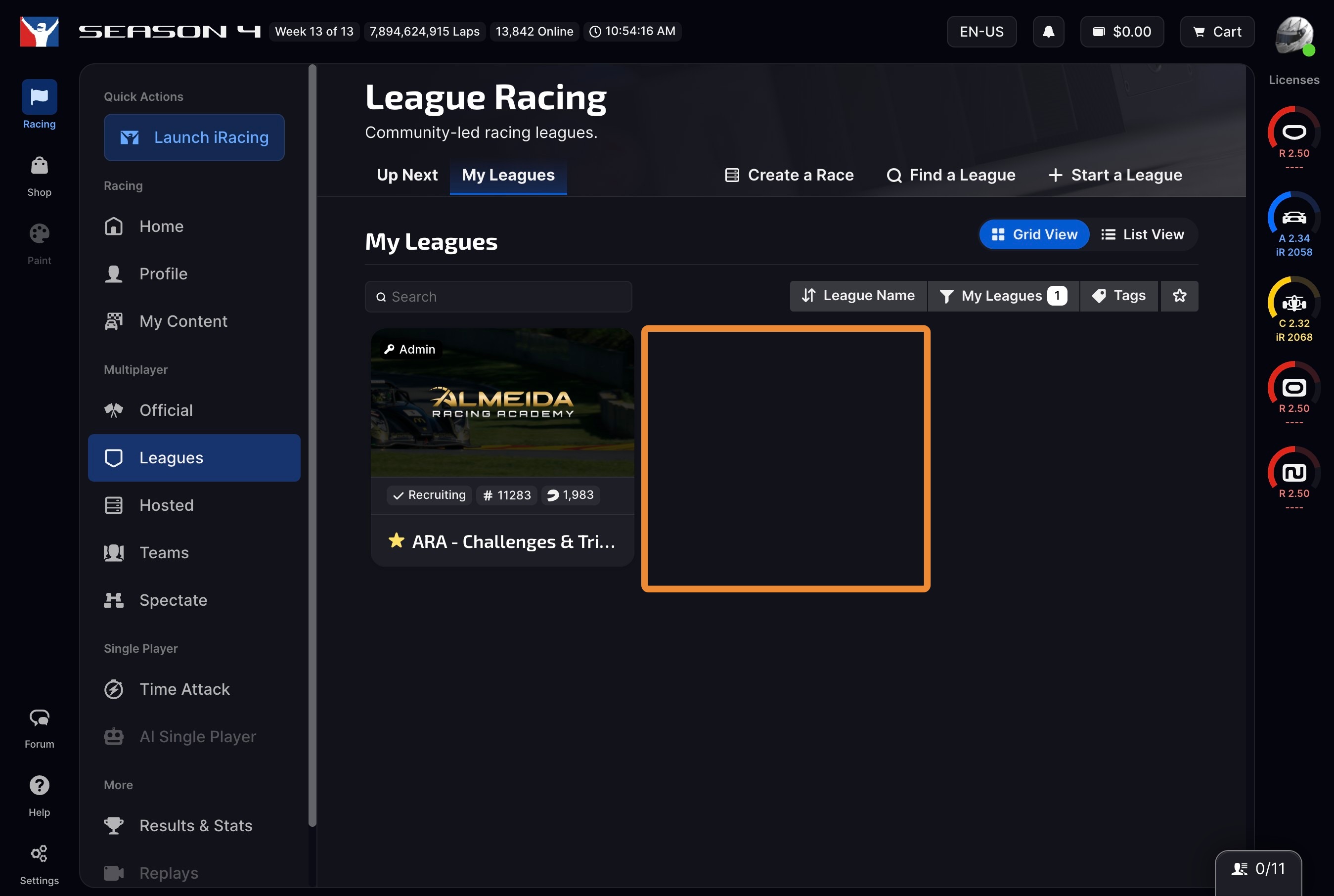
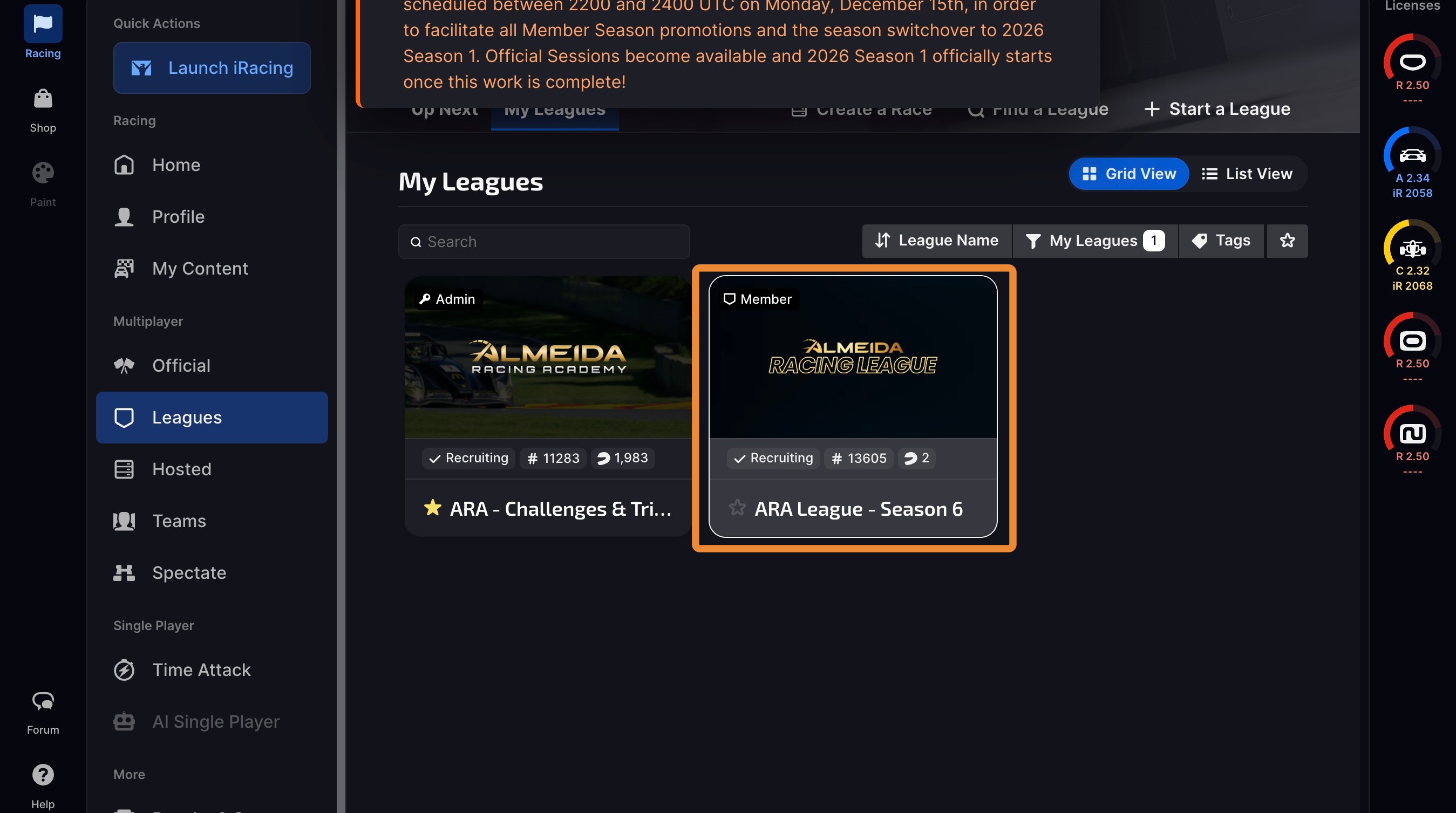
6. You should see the ARA League - Season page populate now. If you do not, contact us here: almeidaracingacademy.com/support
How to Join a Pre Qualifying Session
↑ Table of Contents7. Open the ARA League Season Page under My Leagues.
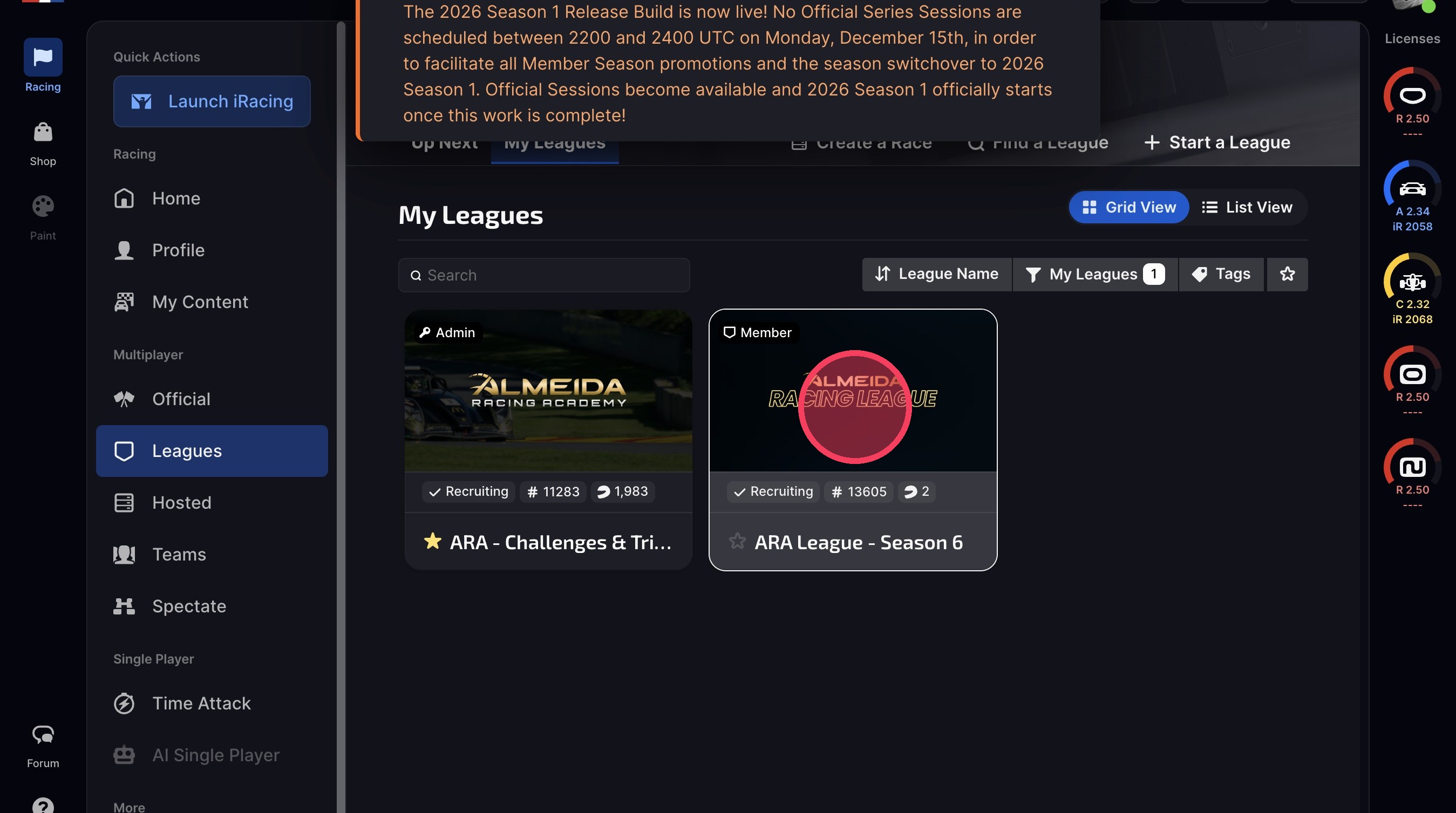
8. Click "Sessions".
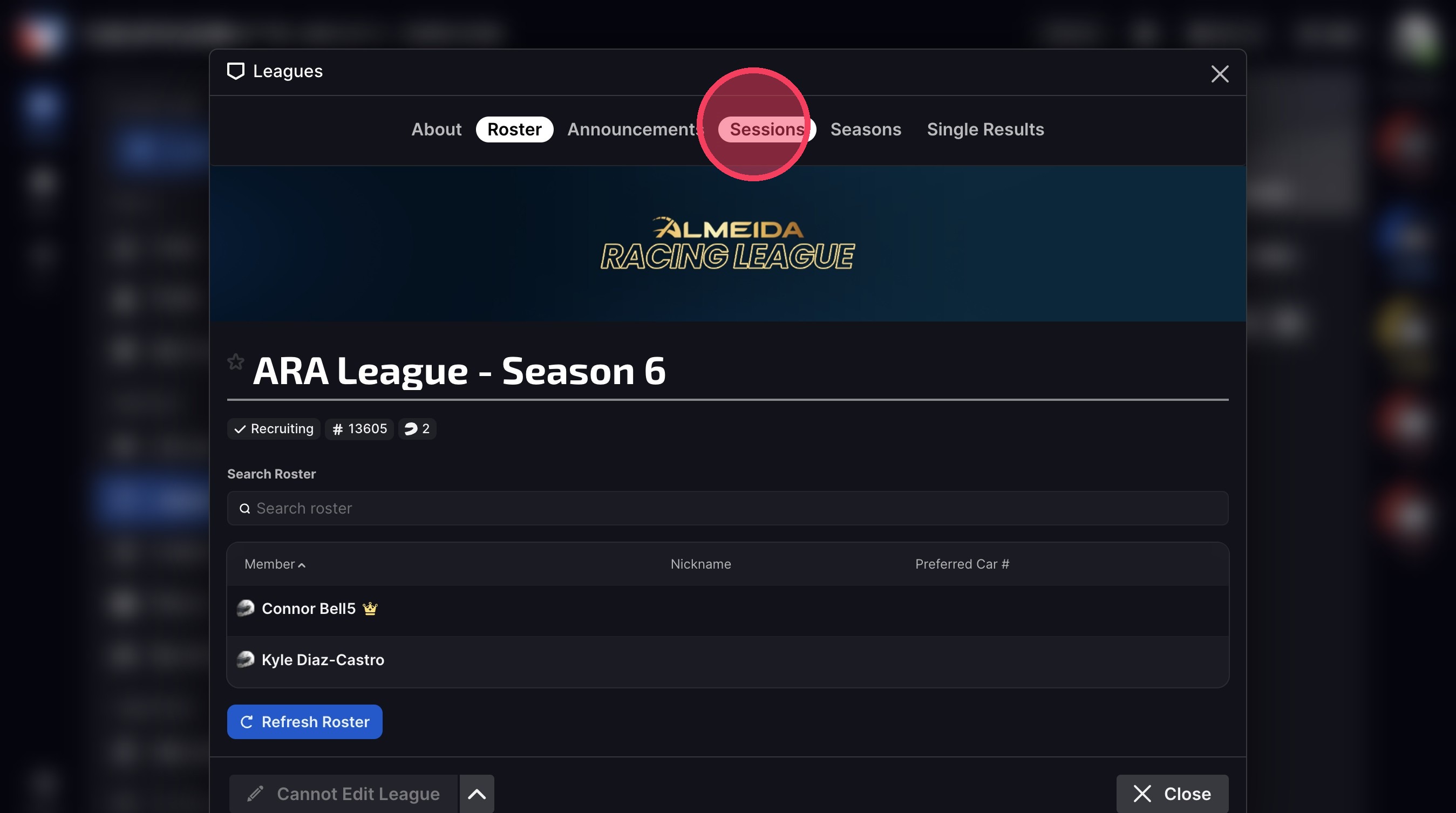
9. This is how it looks when there are no sessions available.
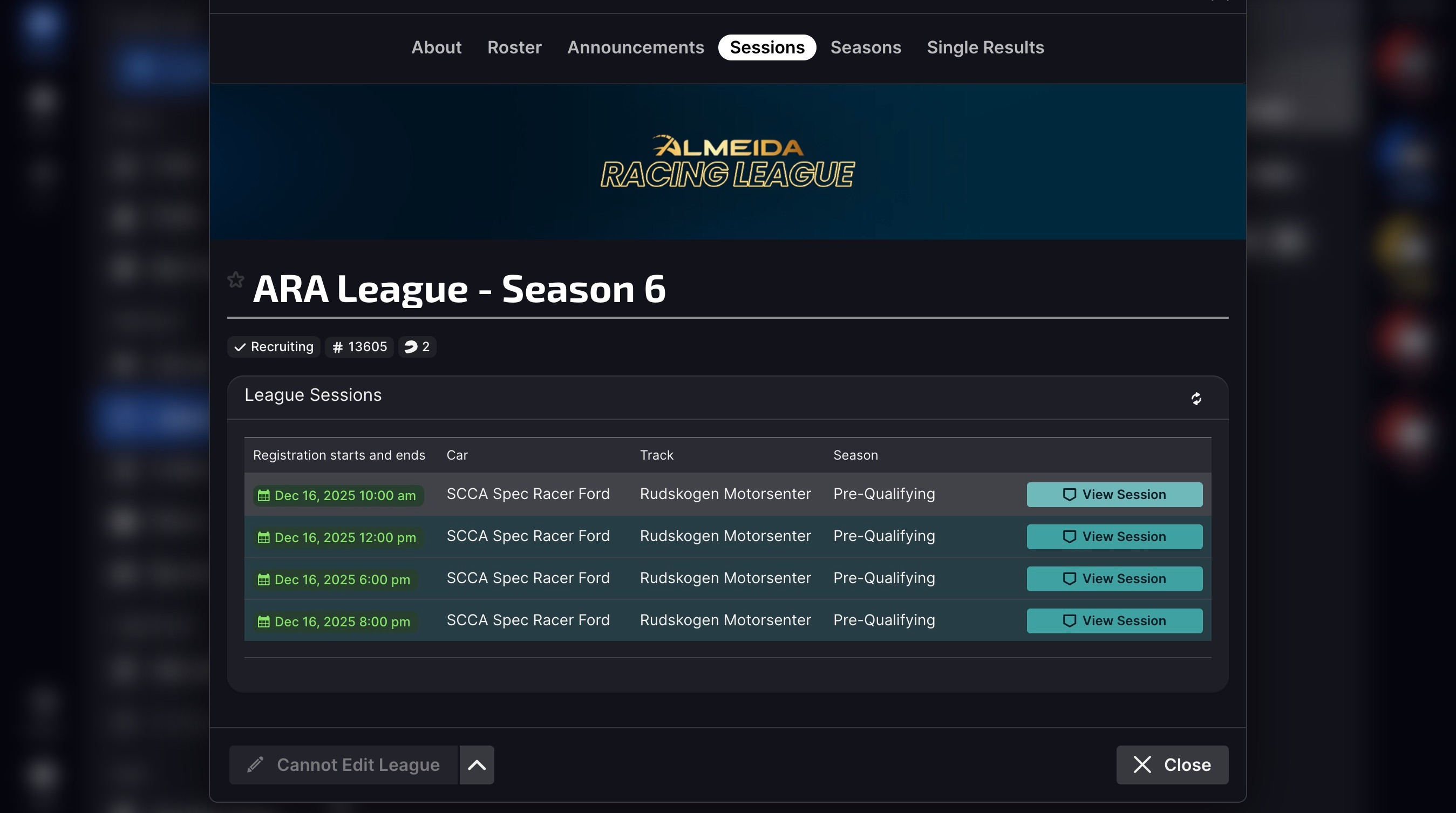
10. An active registrable session will show like this, with a countdown timer.
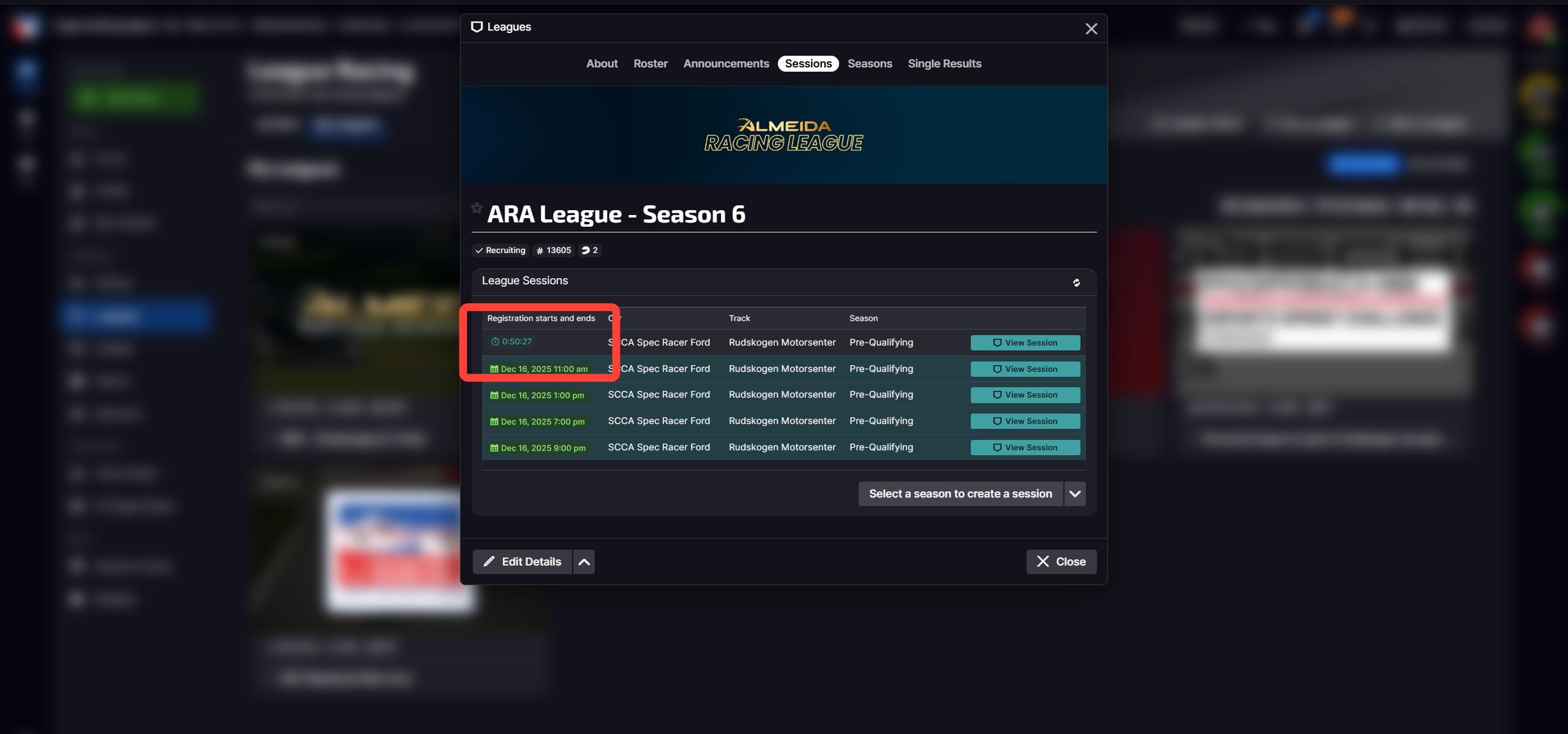
11. Click View Session.
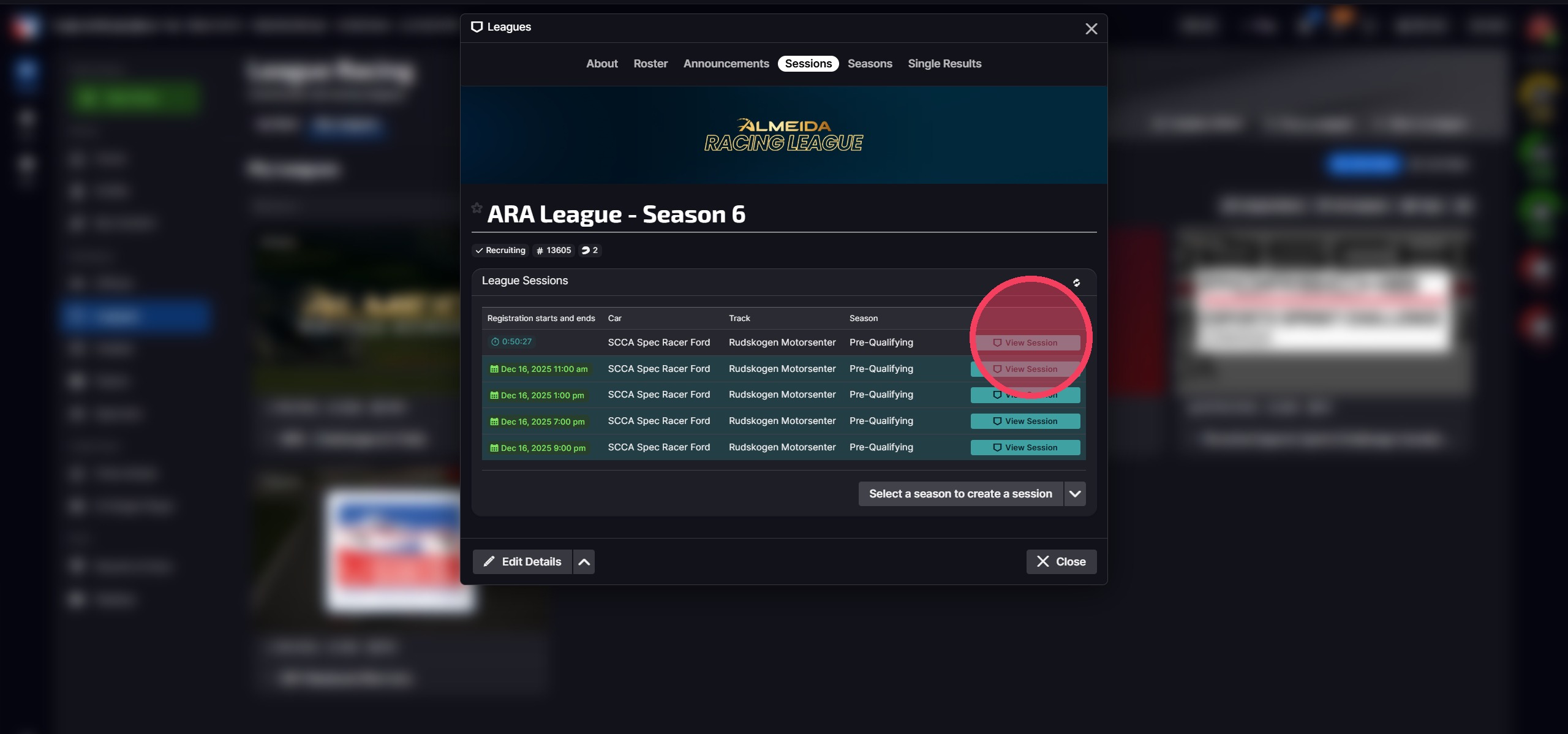
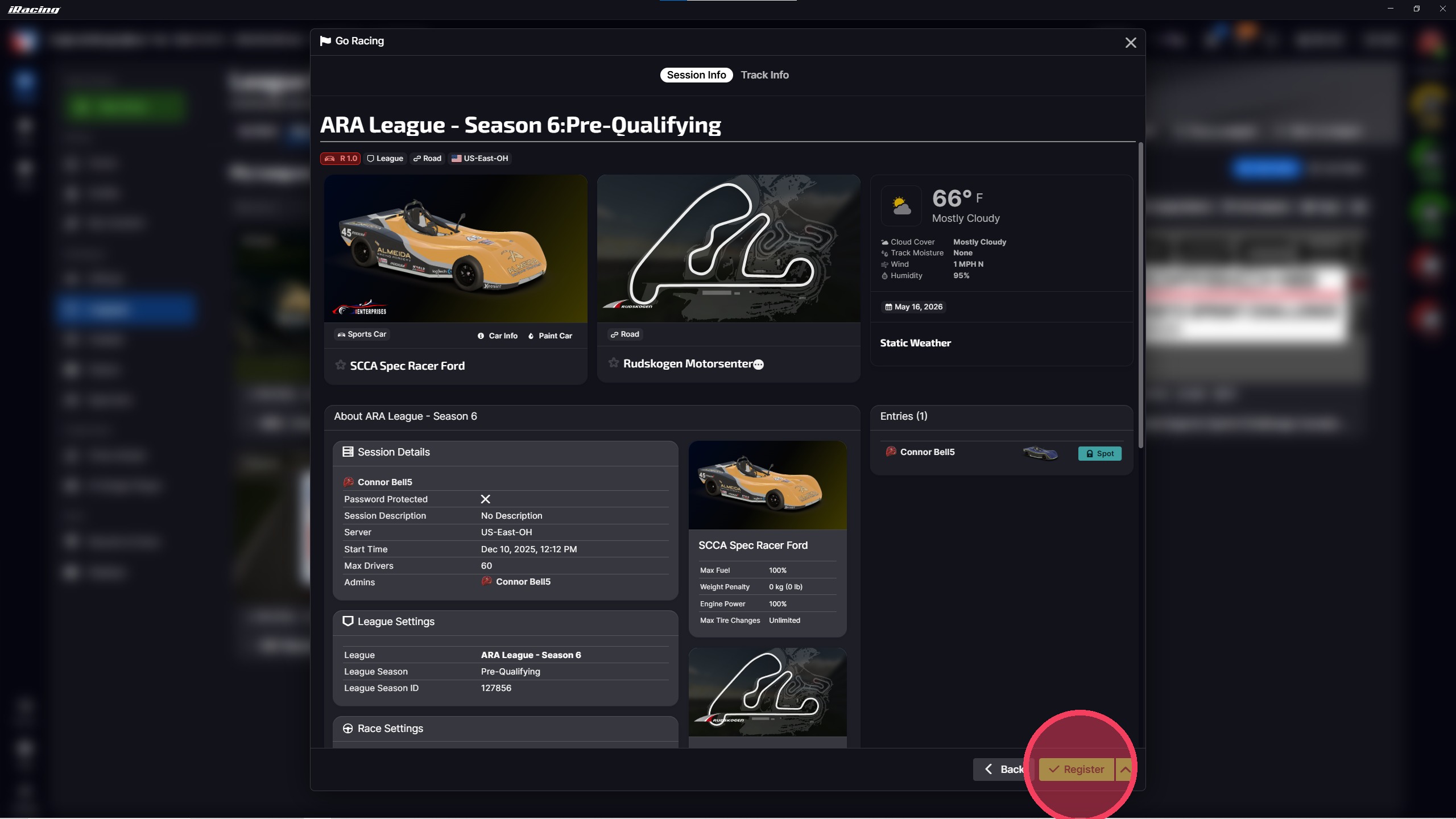
12. Click Register. Then Join Session when it's ready to start.
- You must register before the Qualifying session starts.
- 4 Pre-Q sessions will run every day.
- You must complete 3 consecutive, clean timed laps.
- You may attempt as many 3-lap runs as you'd like in each session.
- You may join as many sessions as you want during the week.
- Your fastest valid 3-lap run across all sessions will count toward ranking and split placement.
- Laps must happen during the Qualifying portion of the event — laps during "Practice" won't count.
How to Join Your Split Race
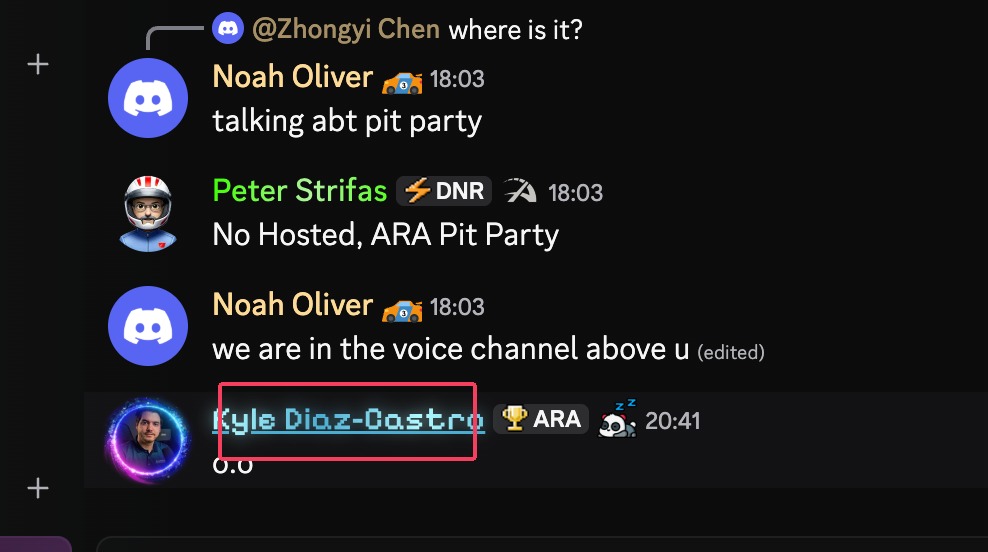
↑ Table of Contents13. Your split will be announced to you. If you forget what split you are in, go to Discord and click on your own name on our server.
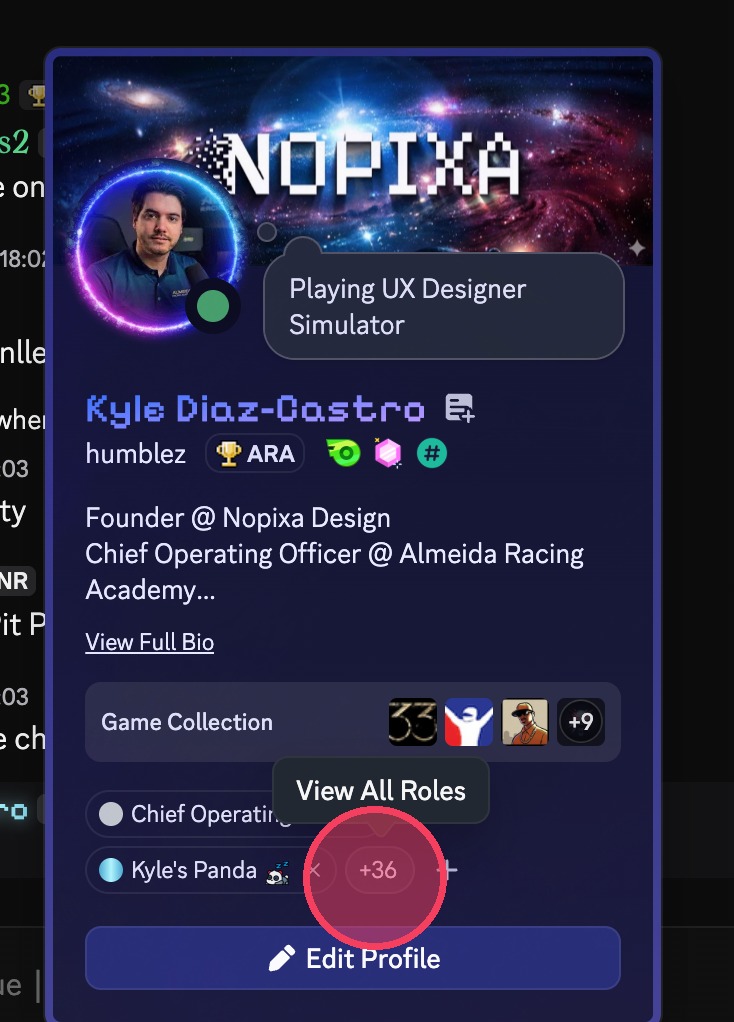
14. Click the "View All Roles" button (this may show any + number).
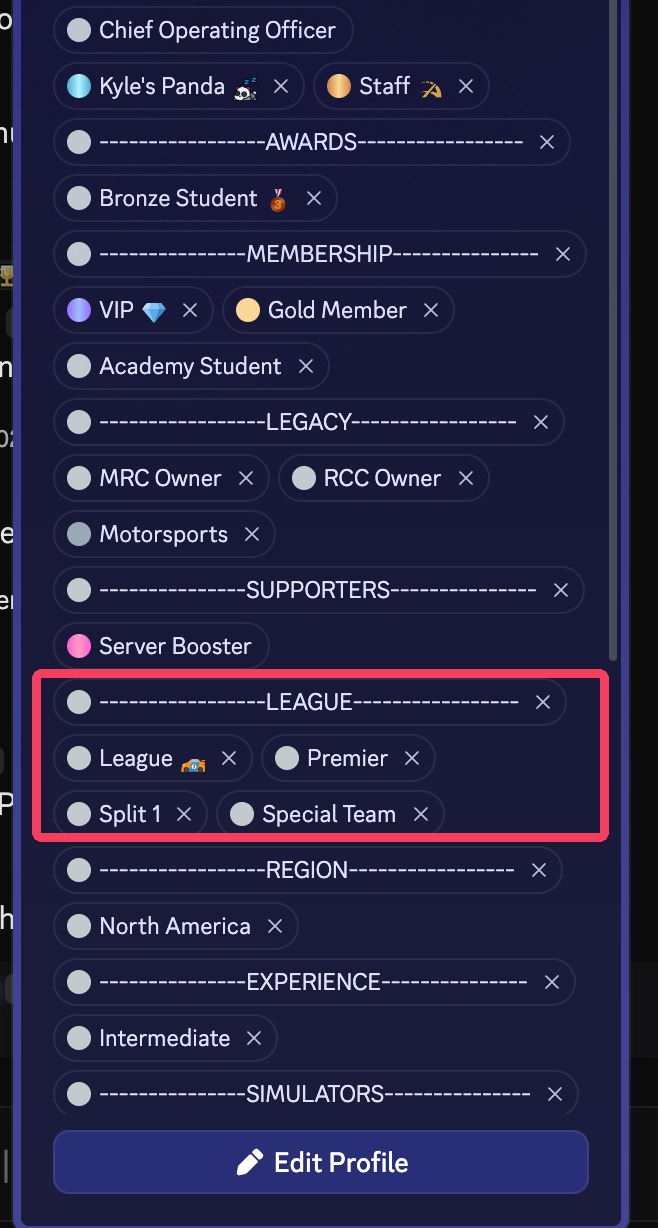
15. Your roles under your name will show you your Series (Club or Premier), and your Split.
16. Go to iRacing and click Leagues.
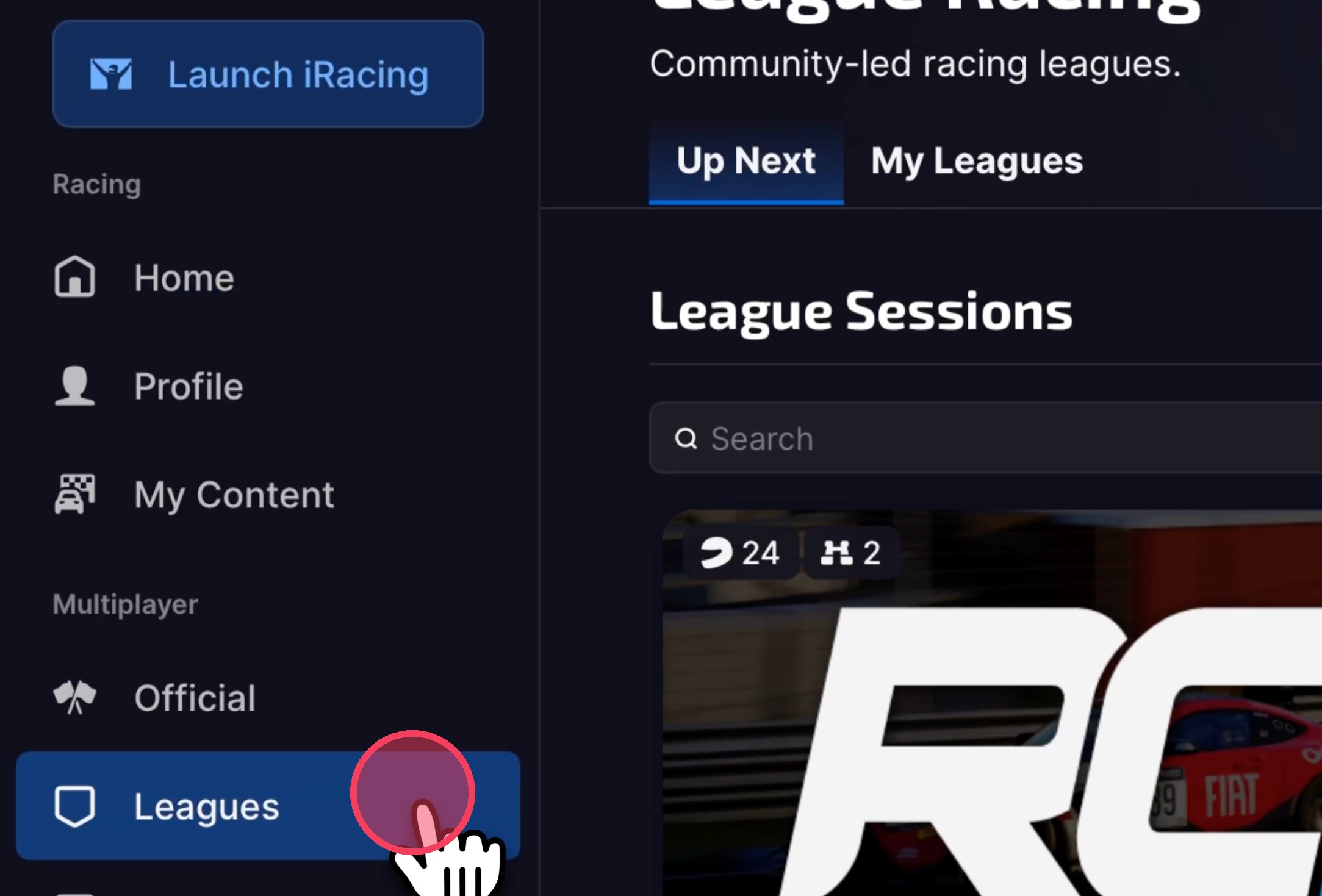
17. Click My Leagues.
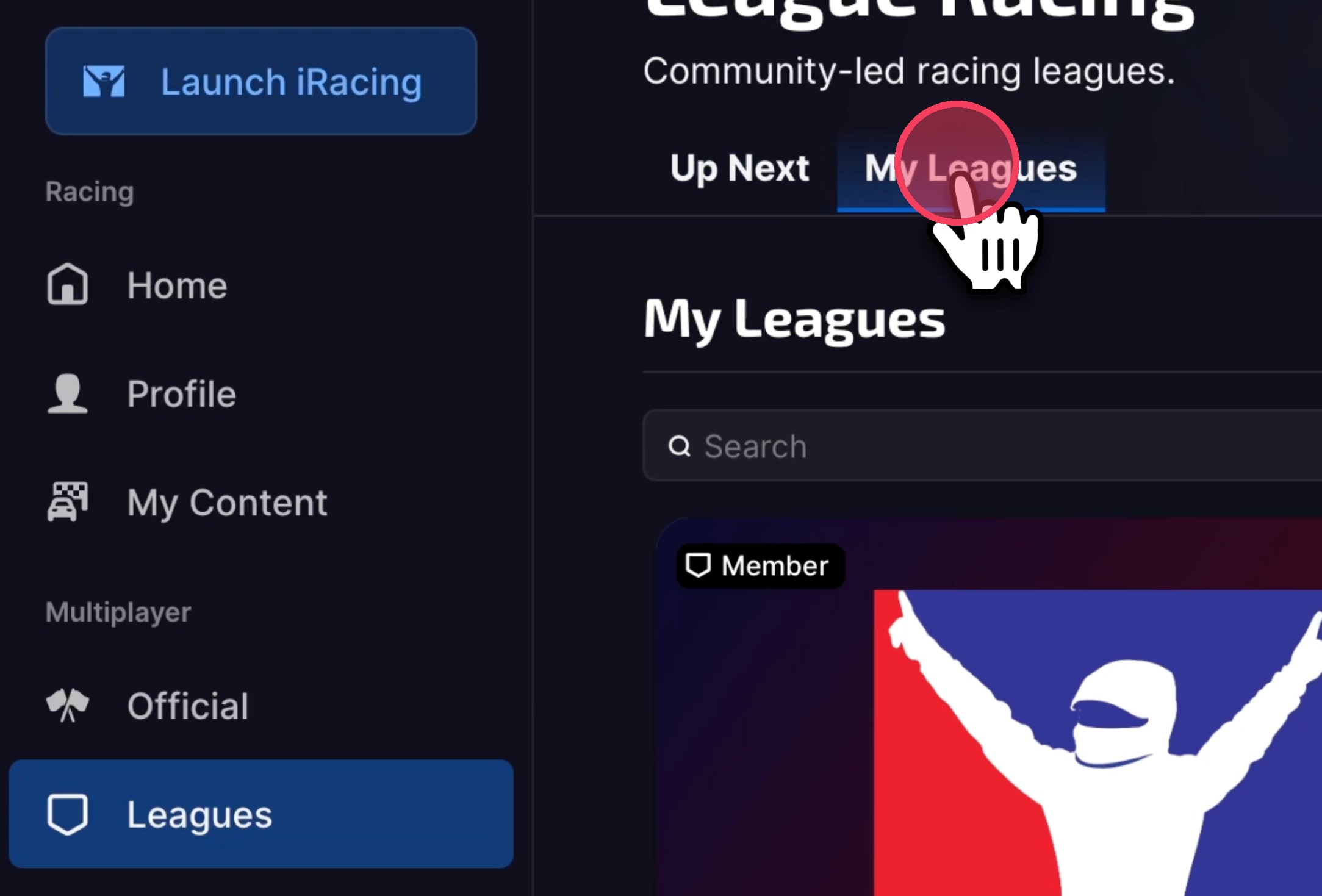
18. Click the League.
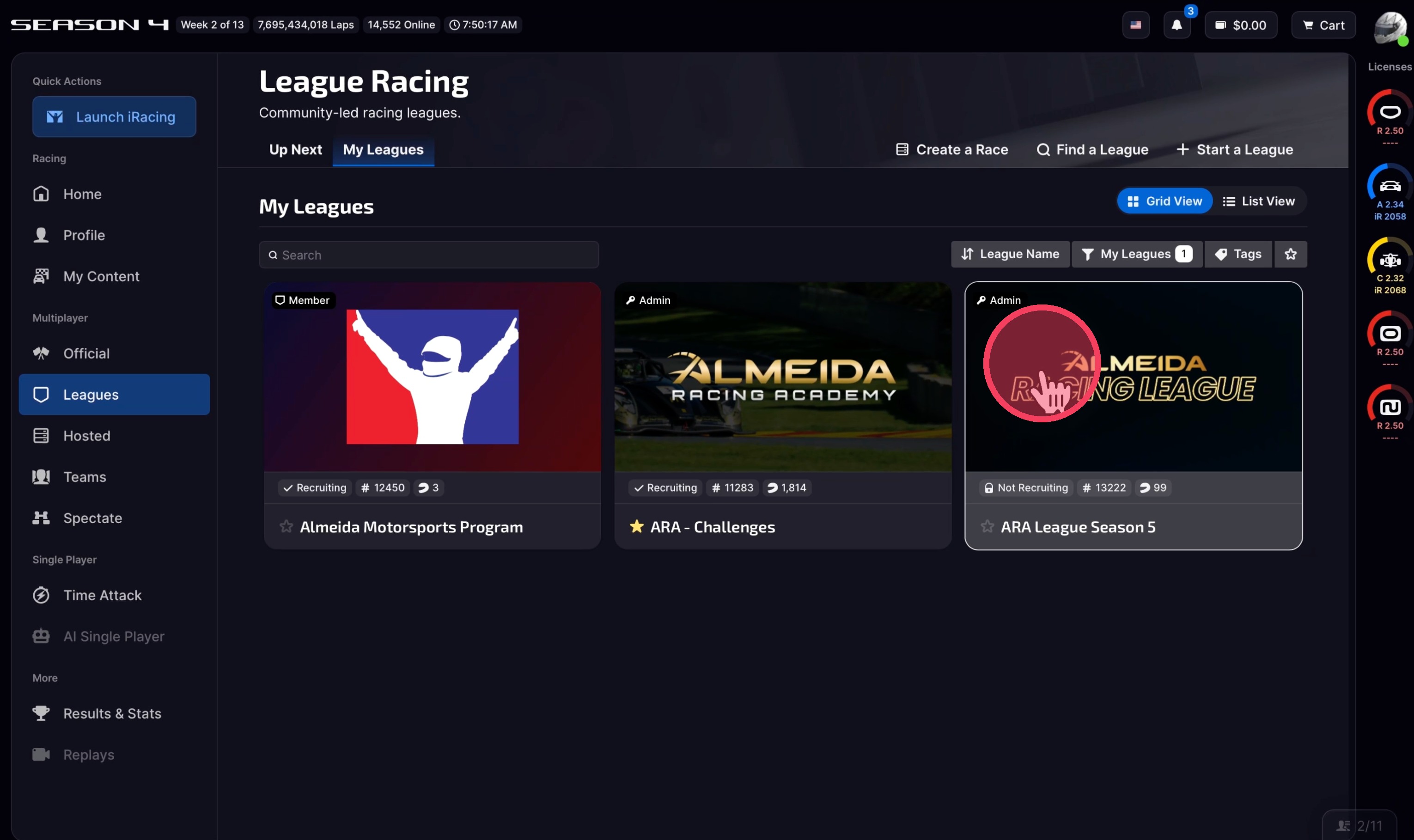
19. Click Sessions.
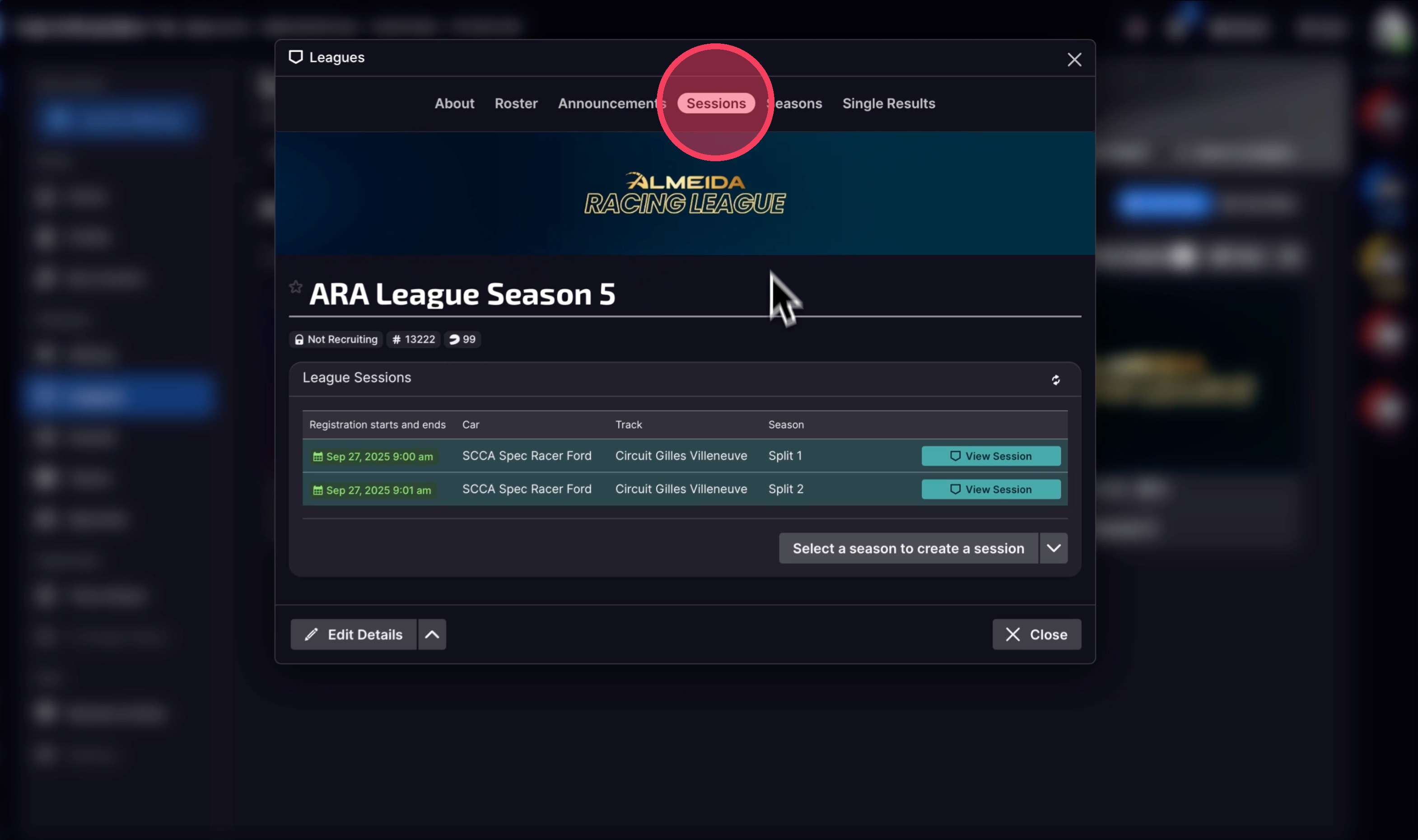
20. Click View Session on your correct Split Session. Reference Steps 14 and 15 to confirm your split.
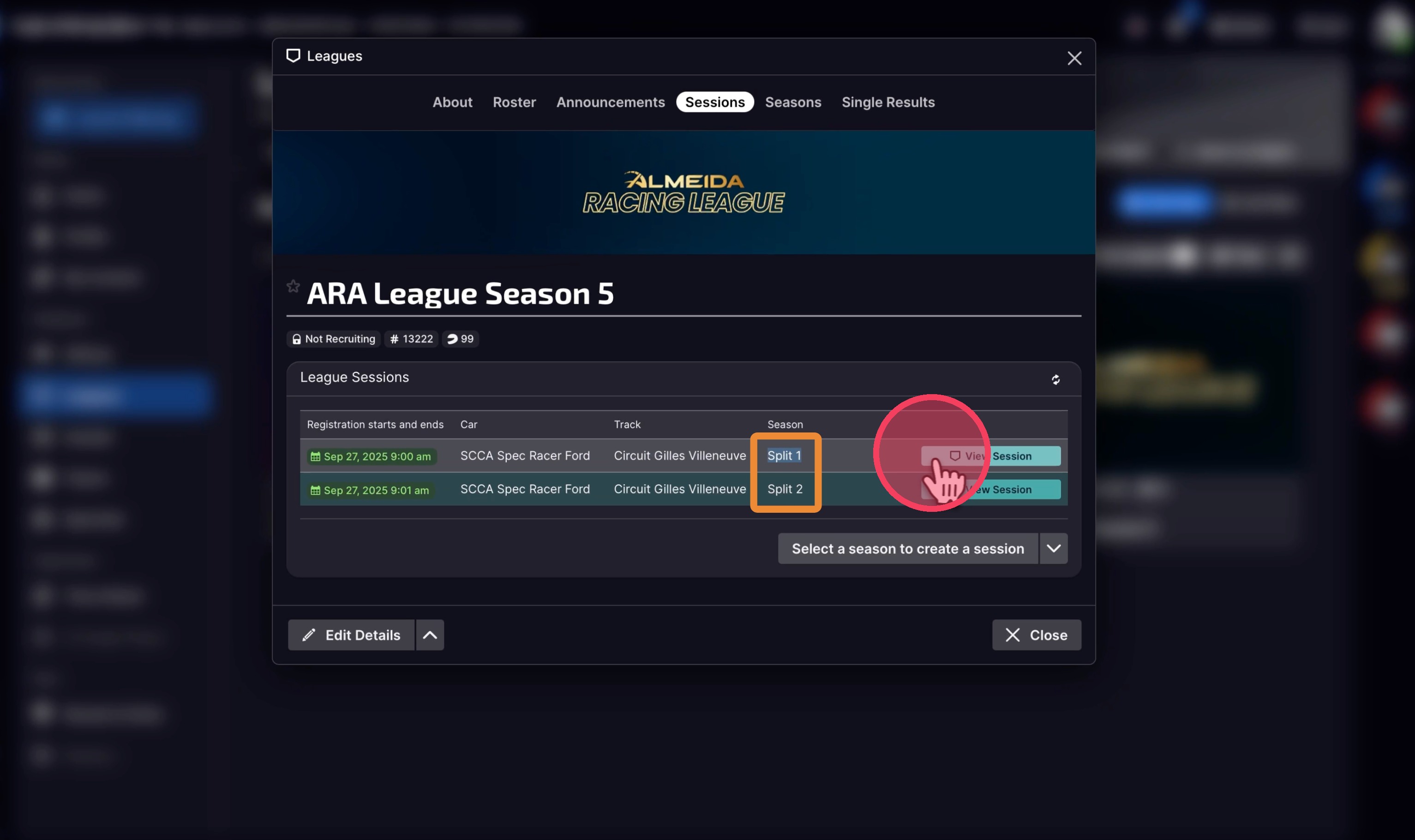
21. Register before Qualifying. There is a 1 hour practice session when the event starts.
If you try to join right when the session starts, it may not appear immediately in the iRacing UI.
Wait 1–2 minutes after the official start time, then refresh the iRacing UI and check again.
If you join the wrong split during race day, you will be disqualified from the race and score no points.
Joining the wrong split may cause another driver not to be able to participate because your entry removed that slot for them.
ARA League — Complete Guide
Step-by-step instructions for accepting league invitations, registering for sessions, finding your split, and joining race day — everything you need to get on track in the ARA League.
How to Sign Up for the League
Sign-ups will be announced via email and Discord. Keep an eye out — different leagues may have different registration methods. Full instructions will always be provided.
Before you sign up, make sure you've done these two things:
- Link your Discord from the Academy website
- Connect your iRacing from the Academy website
Both can be done here: almeidaracingacademy.com/account
How to Join the League When Invited
1. Invites to the league will start before Pre Qualifying week starts. When you are invited, you will get a notification. To accept, navigate to your iRacing UI.
2. Click your notifications icon.
3. Navigate to League Invitations and Accept the League Invite.
4. After accepting the invite, click "Close".
5. Refresh your page and clear your filters if you do not see the new League populate in your "My League" tab under Leagues.
6. You should see the ARA League - Season page populate now. If you do not, contact us here: almeidaracingacademy.com/support
How to Join a Pre Qualifying Session
7. Open the ARA League Season Page under My Leagues.
8. Click "Sessions".
9. This is how it looks when there are no sessions available.
10. An active registrable session will show like this, with a countdown timer.
11. Click View Session.
12. Click Register. Then Join Session when it's ready to start.
- You must register before the Qualifying session starts.
- 4 Pre-Q sessions will run every day.
- You must complete 3 consecutive, clean timed laps.
- You may attempt as many 3-lap runs as you'd like in each session.
- You may join as many sessions as you want during the week.
- Your fastest valid 3-lap run across all sessions will count toward ranking and split placement.
- Laps must happen during the Qualifying portion of the event — laps during "Practice" won't count.
How to Join Your Split Race
13. Your split will be announced to you. If you forget what split you are in, go to Discord and click on your own name on our server.
14. Click the "View All Roles" button (this may show any + number).
15. Your roles under your name will show you your Series (Club or Premier), and your Split.
16. Go to iRacing and click Leagues.
17. Click My Leagues.
18. Click the League.
19. Click Sessions.
20. Click View Session on your correct Split Session. Reference Steps 14 and 15 to confirm your split.
21. Register before Qualifying. There is a 1 hour practice session when the event starts.
If you try to join right when the session starts, it may not appear immediately in the iRacing UI.
Wait 1–2 minutes after the official start time, then refresh the iRacing UI and check again.
If you join the wrong split during race day, you will be disqualified from the race and score no points.
Joining the wrong split may cause another driver not to be able to participate because your entry removed that slot for them.
Enrollment Deadline
March 22nd, 2026
Your Status
Not Enrolled
Enrolled