
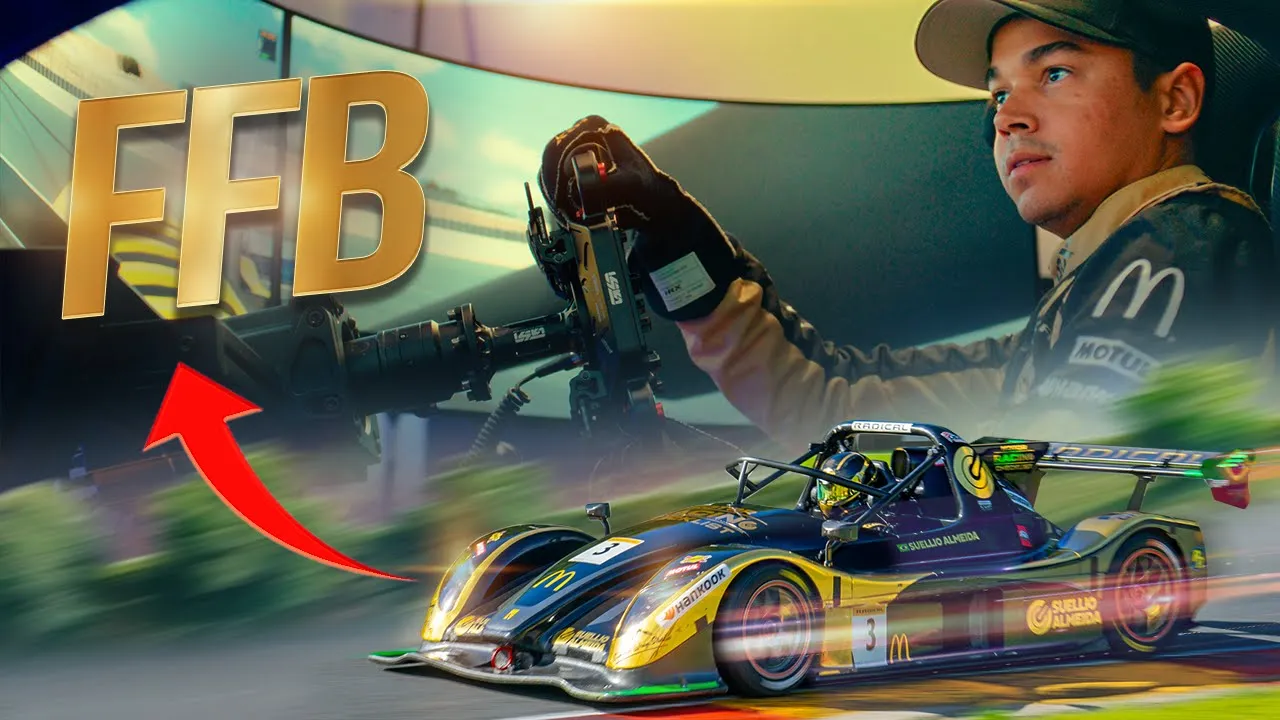
The Ultimate Guide to Force Feedback in Racing Simulators — Stop Guessing, Start Feeling
Suellio Almeida
•
Thursday, November 21, 2024
What Force Feedback Actually Is (And Why You're Probably Using It Wrong)
Force feedback is not rumble. It's not vibration for immersion.
It's a data stream from the car to your hands. The steering wheel is reading tire load, weight transfer, grip loss, and translating that into physical resistance. When you turn the wheel and feel it fight back, that's the front tires loading up. When it goes light, that's understeer — the tires giving up.
Most drivers treat force feedback like a volume knob. They crank it up until it "feels heavy" or turn it down because their arms hurt. That's missing the point entirely.
The goal isn't comfort. The goal is information.
Your hands need to read what the car is doing before your eyes can see it. That split-second warning — the wheel going light mid-corner, the sudden spike in resistance under braking — that's your edge. That's where you find the limit.
If your force feedback is set wrong, you're driving blind.
The Two Types of Force Feedback (And Which One You Should Use)
There are two systems: canned effects and pure force feedback.
Canned effects are artificial. They're pre-programmed vibrations and rumble designed to "feel realistic." Road texture, kerb rattles, engine vibration — all fake. The game adds them on top of the real physics data.
Pure force feedback strips all that out. It's just the physics. Just the tire forces. Just the information you need to drive.
Here's the thing: canned effects mask the real signal. They add noise. You feel a big jolt over a kerb and think you're getting feedback, but you're missing the subtle weight shift that tells you the rear is about to step out.
In iRacing, turn damping to zero. Turn min force as low as your wheel allows without losing detail (usually 1-3%). Turn off all the extra effects — bumps, kerbs, engine vibration. Strip it down to raw data.
Other sims? Same rule. Find the "pure" mode or turn off canned effects manually. You're not trying to simulate sitting in a real car — you're trying to extract maximum information through a single tactile channel.
Real race cars don't give you engine vibration through the wheel. They give you steering torque. That's what matters.
How to Actually Set Up Your Force Feedback
Start with your wheel's driver software. This is before you even open the sim.
Overall strength should be set so the wheel can hit full lock-to-lock resistance without clipping. Most direct drive wheels need 8-12 Nm. Belt-driven wheels max out around 5-6 Nm. If you're not sure, start at 50% in the driver software and adjust from there.
Damping and friction in the wheel software should be zero. You want the wheel to move freely when the sim tells it to. Any artificial resistance muddies the signal.
Now open your sim.
In iRacing:
Force feedback strength: Start at the auto setting, then adjust up or down based on clipping. Open the black box (F9 key), drive a lap, and watch the force feedback meter. If it's hitting red (clipping), turn it down. If it's barely reaching yellow, turn it up.
Damping: Zero.
Min force: Start at 2%, adjust if the wheel feels notchy at center.
The goal is to use the full dynamic range of your wheel without clipping. You want the wheel to hit maximum force only in extreme situations — heavy braking into a slow corner, fighting a big slide. If it's clipping on every turn-in, you've lost resolution. You can't feel the difference between 95% grip and 100% grip anymore.
That difference? That's where the lap time is.
What Your Hands Should Be Feeling (And What It Means)
Once your force feedback is set up correctly, here's what you're reading:
Resistance building on turn-in = front tires loading. The car is building lateral grip. You want this to happen smoothly. If it spikes suddenly, you've turned in too aggressively or you're carrying too much speed.
Wheel going light mid-corner = understeer. The front tires are sliding. The car wants to go straight. Your inputs: less steering angle, less speed, or trail brake deeper to shift weight forward and reload the fronts.
Sudden loss of resistance = lock-up or oversteer. If it happens under braking, you've locked the fronts. If it happens mid-corner, the rear is stepping out and the fronts have unloaded.
Oscillation or vibration through the wheel (when using pure FFB) = tire slip. The tire is at the edge of grip, chattering as it fights for traction. This is good. This is the limit. You want to dance right at this edge.
Heavy resistance on exit = rear tires loading, weight transfer to the back, the car squatting under power. This is where you can start to unwind the wheel and commit to throttle.
Your hands are reading a story. Every input you make, the car responds through the wheel. The faster you can interpret that story, the faster you can adjust.
This is why aliens are fast. They're not guessing. They're reacting to what the car is telling them, millisecond by millisecond.
The Biggest Mistake Drivers Make With Force Feedback
They set it once and never touch it again.
Here's the reality: every car needs different force feedback strength. A street car with power steering has light forces. A GT3 car is medium. A Formula car is heavy. An open-wheeler with no power steering can rip the wheel out of your hands.
If you set your force feedback for a Mazda MX-5 and then jump into a radical without adjusting, you're either clipping constantly (losing detail) or getting no signal at all (wheel feels dead).
You need to calibrate per car.
Load the car. Drive a lap. Check the F9 black box. Adjust. It takes 30 seconds. The payoff is immediate.
The second mistake? Fighting the wheel.
If you're white-knuckling the rim, strangling it with a death grip, you're blocking the signal. Force feedback is a conversation. The car talks, you listen, you respond. If you're muscling the wheel, you're shouting over the car.
Loosen your grip. Let the wheel breathe. Hold it firmly enough to control, but lightly enough to feel.
This is a skill. It takes time. But once you learn to listen, everything changes.
Why Force Feedback Matters More Than You Think
You can be fast on visuals alone. You can learn brake points, turn-in markers, apex positioning. You can memorize the racing line.
But you'll never be alien fast without force feedback.
Because the limit isn't static. It changes lap to lap — tire temp, fuel load, track conditions, drafting, dirty air. You can't memorize the limit. You have to feel it.
Force feedback is how you find the edge in real time. It's how you know when you can brake 5 meters later, turn in 10 mph faster, pick up the throttle half a second earlier.
Your eyes give you position. Your hands give you grip.
And grip is everything.
The drivers who dial in their force feedback, who take the time to understand what their wheel is telling them, who practice reading the forces — they're the ones making impossible saves, finding tenths in corners that look identical, staying consistent over a 60-minute race.
This isn't about realism. This isn't about immersion.
It's about information. And information is speed.
Are You Actually Listening to What the Car Is Telling You?
You've got the hardware. You've got the sim. You've probably got the setup guides bookmarked.
But how many laps have you driven where you were actively listening through the wheel? Where you adjusted your inputs based on what your hands felt, not just what your eyes saw?
Most drivers never do this. They drive on autopilot. Same brake points, same turn-in, same exit. They wonder why they plateau. They blame the car, the setup, the track.
The car's been talking to you the whole time. You just weren't listening.
At Almeida Racing Academy, we don't just teach you to drive fast. We teach you to feel fast. The Car Handling course breaks down weight transfer, grip phases, and how to read every signal the car sends. The Gold Membership gets you 8 courses, 80 lessons, and direct access to coaches who've spent thousands of hours learning this language.
You can keep guessing. Or you can learn to listen.
Start your free account and access the Car Handling course here
Sim Racing Academy Membership
Everything you need to stop guessing and start getting faster.
Starting at
$25
/mo
Car Handling Online Course
4 levels, full curriculum. Aimed to get you to top 1% in driving pace.
Racecraft Online Course
Overtaking, Defending, Race Strategy
Live coaching + on-track practice
Bi-weekly pro-coach workshops (recorded — never miss one) plus on-track Pit Parties to practice racecraft with a coach.
Plus These Bonuses
13,000+ Member Community
League Racing
Advanced MX-5 Mini Course
Racing Technique Development Guide
The Motor Racing Book (260 pages)
Think & Behave Like a Pro Driver — Mini eBook
The Ultimate Guide to Force Feedback in Racing Simulators — Stop Guessing, Start Feeling
Suellio Almeida
•
Thursday, November 21, 2024
What Force Feedback Actually Is (And Why You're Probably Using It Wrong)
Force feedback is not rumble. It's not vibration for immersion.
It's a data stream from the car to your hands. The steering wheel is reading tire load, weight transfer, grip loss, and translating that into physical resistance. When you turn the wheel and feel it fight back, that's the front tires loading up. When it goes light, that's understeer — the tires giving up.
Most drivers treat force feedback like a volume knob. They crank it up until it "feels heavy" or turn it down because their arms hurt. That's missing the point entirely.
The goal isn't comfort. The goal is information.
Your hands need to read what the car is doing before your eyes can see it. That split-second warning — the wheel going light mid-corner, the sudden spike in resistance under braking — that's your edge. That's where you find the limit.
If your force feedback is set wrong, you're driving blind.
The Two Types of Force Feedback (And Which One You Should Use)
There are two systems: canned effects and pure force feedback.
Canned effects are artificial. They're pre-programmed vibrations and rumble designed to "feel realistic." Road texture, kerb rattles, engine vibration — all fake. The game adds them on top of the real physics data.
Pure force feedback strips all that out. It's just the physics. Just the tire forces. Just the information you need to drive.
Here's the thing: canned effects mask the real signal. They add noise. You feel a big jolt over a kerb and think you're getting feedback, but you're missing the subtle weight shift that tells you the rear is about to step out.
In iRacing, turn damping to zero. Turn min force as low as your wheel allows without losing detail (usually 1-3%). Turn off all the extra effects — bumps, kerbs, engine vibration. Strip it down to raw data.
Other sims? Same rule. Find the "pure" mode or turn off canned effects manually. You're not trying to simulate sitting in a real car — you're trying to extract maximum information through a single tactile channel.
Real race cars don't give you engine vibration through the wheel. They give you steering torque. That's what matters.
How to Actually Set Up Your Force Feedback
Start with your wheel's driver software. This is before you even open the sim.
Overall strength should be set so the wheel can hit full lock-to-lock resistance without clipping. Most direct drive wheels need 8-12 Nm. Belt-driven wheels max out around 5-6 Nm. If you're not sure, start at 50% in the driver software and adjust from there.
Damping and friction in the wheel software should be zero. You want the wheel to move freely when the sim tells it to. Any artificial resistance muddies the signal.
Now open your sim.
In iRacing:
Force feedback strength: Start at the auto setting, then adjust up or down based on clipping. Open the black box (F9 key), drive a lap, and watch the force feedback meter. If it's hitting red (clipping), turn it down. If it's barely reaching yellow, turn it up.
Damping: Zero.
Min force: Start at 2%, adjust if the wheel feels notchy at center.
The goal is to use the full dynamic range of your wheel without clipping. You want the wheel to hit maximum force only in extreme situations — heavy braking into a slow corner, fighting a big slide. If it's clipping on every turn-in, you've lost resolution. You can't feel the difference between 95% grip and 100% grip anymore.
That difference? That's where the lap time is.
What Your Hands Should Be Feeling (And What It Means)
Once your force feedback is set up correctly, here's what you're reading:
Resistance building on turn-in = front tires loading. The car is building lateral grip. You want this to happen smoothly. If it spikes suddenly, you've turned in too aggressively or you're carrying too much speed.
Wheel going light mid-corner = understeer. The front tires are sliding. The car wants to go straight. Your inputs: less steering angle, less speed, or trail brake deeper to shift weight forward and reload the fronts.
Sudden loss of resistance = lock-up or oversteer. If it happens under braking, you've locked the fronts. If it happens mid-corner, the rear is stepping out and the fronts have unloaded.
Oscillation or vibration through the wheel (when using pure FFB) = tire slip. The tire is at the edge of grip, chattering as it fights for traction. This is good. This is the limit. You want to dance right at this edge.
Heavy resistance on exit = rear tires loading, weight transfer to the back, the car squatting under power. This is where you can start to unwind the wheel and commit to throttle.
Your hands are reading a story. Every input you make, the car responds through the wheel. The faster you can interpret that story, the faster you can adjust.
This is why aliens are fast. They're not guessing. They're reacting to what the car is telling them, millisecond by millisecond.
The Biggest Mistake Drivers Make With Force Feedback
They set it once and never touch it again.
Here's the reality: every car needs different force feedback strength. A street car with power steering has light forces. A GT3 car is medium. A Formula car is heavy. An open-wheeler with no power steering can rip the wheel out of your hands.
If you set your force feedback for a Mazda MX-5 and then jump into a radical without adjusting, you're either clipping constantly (losing detail) or getting no signal at all (wheel feels dead).
You need to calibrate per car.
Load the car. Drive a lap. Check the F9 black box. Adjust. It takes 30 seconds. The payoff is immediate.
The second mistake? Fighting the wheel.
If you're white-knuckling the rim, strangling it with a death grip, you're blocking the signal. Force feedback is a conversation. The car talks, you listen, you respond. If you're muscling the wheel, you're shouting over the car.
Loosen your grip. Let the wheel breathe. Hold it firmly enough to control, but lightly enough to feel.
This is a skill. It takes time. But once you learn to listen, everything changes.
Why Force Feedback Matters More Than You Think
You can be fast on visuals alone. You can learn brake points, turn-in markers, apex positioning. You can memorize the racing line.
But you'll never be alien fast without force feedback.
Because the limit isn't static. It changes lap to lap — tire temp, fuel load, track conditions, drafting, dirty air. You can't memorize the limit. You have to feel it.
Force feedback is how you find the edge in real time. It's how you know when you can brake 5 meters later, turn in 10 mph faster, pick up the throttle half a second earlier.
Your eyes give you position. Your hands give you grip.
And grip is everything.
The drivers who dial in their force feedback, who take the time to understand what their wheel is telling them, who practice reading the forces — they're the ones making impossible saves, finding tenths in corners that look identical, staying consistent over a 60-minute race.
This isn't about realism. This isn't about immersion.
It's about information. And information is speed.
Are You Actually Listening to What the Car Is Telling You?
You've got the hardware. You've got the sim. You've probably got the setup guides bookmarked.
But how many laps have you driven where you were actively listening through the wheel? Where you adjusted your inputs based on what your hands felt, not just what your eyes saw?
Most drivers never do this. They drive on autopilot. Same brake points, same turn-in, same exit. They wonder why they plateau. They blame the car, the setup, the track.
The car's been talking to you the whole time. You just weren't listening.
At Almeida Racing Academy, we don't just teach you to drive fast. We teach you to feel fast. The Car Handling course breaks down weight transfer, grip phases, and how to read every signal the car sends. The Gold Membership gets you 8 courses, 80 lessons, and direct access to coaches who've spent thousands of hours learning this language.
You can keep guessing. Or you can learn to listen.
Start your free account and access the Car Handling course here
Sim Racing Academy Membership
Everything you need to stop guessing and start getting faster.
Starting at
$25
/mo
Car Handling Online Course
4 levels, full curriculum. Aimed to get you to top 1% in driving pace.
Racecraft Online Course
Overtaking, Defending, Race Strategy
Live coaching + on-track practice
Bi-weekly pro-coach workshops (recorded — never miss one) plus on-track Pit Parties to practice racecraft with a coach.
Plus These Bonuses
13,000+ Member Community
League Racing
Advanced MX-5 Mini Course
Racing Technique Development Guide
The Motor Racing Book (260 pages)
Think & Behave Like a Pro Driver — Mini eBook
The Ultimate Guide to Force Feedback in Racing Simulators — Stop Guessing, Start Feeling
Suellio Almeida
•
Thursday, November 21, 2024
What Force Feedback Actually Is (And Why You're Probably Using It Wrong)
Force feedback is not rumble. It's not vibration for immersion.
It's a data stream from the car to your hands. The steering wheel is reading tire load, weight transfer, grip loss, and translating that into physical resistance. When you turn the wheel and feel it fight back, that's the front tires loading up. When it goes light, that's understeer — the tires giving up.
Most drivers treat force feedback like a volume knob. They crank it up until it "feels heavy" or turn it down because their arms hurt. That's missing the point entirely.
The goal isn't comfort. The goal is information.
Your hands need to read what the car is doing before your eyes can see it. That split-second warning — the wheel going light mid-corner, the sudden spike in resistance under braking — that's your edge. That's where you find the limit.
If your force feedback is set wrong, you're driving blind.
The Two Types of Force Feedback (And Which One You Should Use)
There are two systems: canned effects and pure force feedback.
Canned effects are artificial. They're pre-programmed vibrations and rumble designed to "feel realistic." Road texture, kerb rattles, engine vibration — all fake. The game adds them on top of the real physics data.
Pure force feedback strips all that out. It's just the physics. Just the tire forces. Just the information you need to drive.
Here's the thing: canned effects mask the real signal. They add noise. You feel a big jolt over a kerb and think you're getting feedback, but you're missing the subtle weight shift that tells you the rear is about to step out.
In iRacing, turn damping to zero. Turn min force as low as your wheel allows without losing detail (usually 1-3%). Turn off all the extra effects — bumps, kerbs, engine vibration. Strip it down to raw data.
Other sims? Same rule. Find the "pure" mode or turn off canned effects manually. You're not trying to simulate sitting in a real car — you're trying to extract maximum information through a single tactile channel.
Real race cars don't give you engine vibration through the wheel. They give you steering torque. That's what matters.
How to Actually Set Up Your Force Feedback
Start with your wheel's driver software. This is before you even open the sim.
Overall strength should be set so the wheel can hit full lock-to-lock resistance without clipping. Most direct drive wheels need 8-12 Nm. Belt-driven wheels max out around 5-6 Nm. If you're not sure, start at 50% in the driver software and adjust from there.
Damping and friction in the wheel software should be zero. You want the wheel to move freely when the sim tells it to. Any artificial resistance muddies the signal.
Now open your sim.
In iRacing:
Force feedback strength: Start at the auto setting, then adjust up or down based on clipping. Open the black box (F9 key), drive a lap, and watch the force feedback meter. If it's hitting red (clipping), turn it down. If it's barely reaching yellow, turn it up.
Damping: Zero.
Min force: Start at 2%, adjust if the wheel feels notchy at center.
The goal is to use the full dynamic range of your wheel without clipping. You want the wheel to hit maximum force only in extreme situations — heavy braking into a slow corner, fighting a big slide. If it's clipping on every turn-in, you've lost resolution. You can't feel the difference between 95% grip and 100% grip anymore.
That difference? That's where the lap time is.
What Your Hands Should Be Feeling (And What It Means)
Once your force feedback is set up correctly, here's what you're reading:
Resistance building on turn-in = front tires loading. The car is building lateral grip. You want this to happen smoothly. If it spikes suddenly, you've turned in too aggressively or you're carrying too much speed.
Wheel going light mid-corner = understeer. The front tires are sliding. The car wants to go straight. Your inputs: less steering angle, less speed, or trail brake deeper to shift weight forward and reload the fronts.
Sudden loss of resistance = lock-up or oversteer. If it happens under braking, you've locked the fronts. If it happens mid-corner, the rear is stepping out and the fronts have unloaded.
Oscillation or vibration through the wheel (when using pure FFB) = tire slip. The tire is at the edge of grip, chattering as it fights for traction. This is good. This is the limit. You want to dance right at this edge.
Heavy resistance on exit = rear tires loading, weight transfer to the back, the car squatting under power. This is where you can start to unwind the wheel and commit to throttle.
Your hands are reading a story. Every input you make, the car responds through the wheel. The faster you can interpret that story, the faster you can adjust.
This is why aliens are fast. They're not guessing. They're reacting to what the car is telling them, millisecond by millisecond.
The Biggest Mistake Drivers Make With Force Feedback
They set it once and never touch it again.
Here's the reality: every car needs different force feedback strength. A street car with power steering has light forces. A GT3 car is medium. A Formula car is heavy. An open-wheeler with no power steering can rip the wheel out of your hands.
If you set your force feedback for a Mazda MX-5 and then jump into a radical without adjusting, you're either clipping constantly (losing detail) or getting no signal at all (wheel feels dead).
You need to calibrate per car.
Load the car. Drive a lap. Check the F9 black box. Adjust. It takes 30 seconds. The payoff is immediate.
The second mistake? Fighting the wheel.
If you're white-knuckling the rim, strangling it with a death grip, you're blocking the signal. Force feedback is a conversation. The car talks, you listen, you respond. If you're muscling the wheel, you're shouting over the car.
Loosen your grip. Let the wheel breathe. Hold it firmly enough to control, but lightly enough to feel.
This is a skill. It takes time. But once you learn to listen, everything changes.
Why Force Feedback Matters More Than You Think
You can be fast on visuals alone. You can learn brake points, turn-in markers, apex positioning. You can memorize the racing line.
But you'll never be alien fast without force feedback.
Because the limit isn't static. It changes lap to lap — tire temp, fuel load, track conditions, drafting, dirty air. You can't memorize the limit. You have to feel it.
Force feedback is how you find the edge in real time. It's how you know when you can brake 5 meters later, turn in 10 mph faster, pick up the throttle half a second earlier.
Your eyes give you position. Your hands give you grip.
And grip is everything.
The drivers who dial in their force feedback, who take the time to understand what their wheel is telling them, who practice reading the forces — they're the ones making impossible saves, finding tenths in corners that look identical, staying consistent over a 60-minute race.
This isn't about realism. This isn't about immersion.
It's about information. And information is speed.
Are You Actually Listening to What the Car Is Telling You?
You've got the hardware. You've got the sim. You've probably got the setup guides bookmarked.
But how many laps have you driven where you were actively listening through the wheel? Where you adjusted your inputs based on what your hands felt, not just what your eyes saw?
Most drivers never do this. They drive on autopilot. Same brake points, same turn-in, same exit. They wonder why they plateau. They blame the car, the setup, the track.
The car's been talking to you the whole time. You just weren't listening.
At Almeida Racing Academy, we don't just teach you to drive fast. We teach you to feel fast. The Car Handling course breaks down weight transfer, grip phases, and how to read every signal the car sends. The Gold Membership gets you 8 courses, 80 lessons, and direct access to coaches who've spent thousands of hours learning this language.
You can keep guessing. Or you can learn to listen.
Start your free account and access the Car Handling course here
Sim Racing Academy Membership
Everything you need to stop guessing and start getting faster.
Starting at
$25
/mo
Car Handling Online Course
4 levels, full curriculum. Aimed to get you to top 1% in driving pace.
Racecraft Online Course
Overtaking, Defending, Race Strategy
Live coaching + on-track practice
Bi-weekly pro-coach workshops (recorded — never miss one) plus on-track Pit Parties to practice racecraft with a coach.
Plus These Bonuses
13,000+ Member Community
League Racing
Advanced MX-5 Mini Course
Racing Technique Development Guide
The Motor Racing Book (260 pages)
Think & Behave Like a Pro Driver — Mini eBook